
Telegram welcome messages are messages that a channel or a group shows to each new member, and only to them. Everyone else sees nothing. Telegram introduced the feature in August 2026 and described its purpose in one line: to give new members extra information without cluttering the chat for others.
For a channel owner it fills an old gap. A person joins after seeing one post or one ad, and the channel had no built-in way to speak to that person alone. This guide shows how to add a welcome message, what to write in it, and how it fits with your description and your pinned post.
What Telegram welcome messages are
Telegram's announcement gives the facts.
- Groups and channels both support welcome messages.
- When a user joins, only they can see the message.
- Several messages and media can be added to what Telegram calls the welcome pack.
- Formatting works, so the text can carry bold words and links.
- No bot is required. Before this, greeting new members meant running one.
Because only the newcomer sees it, a welcome message costs your existing readers nothing. You can say things there that would be noise in the channel itself.
How to add a welcome message
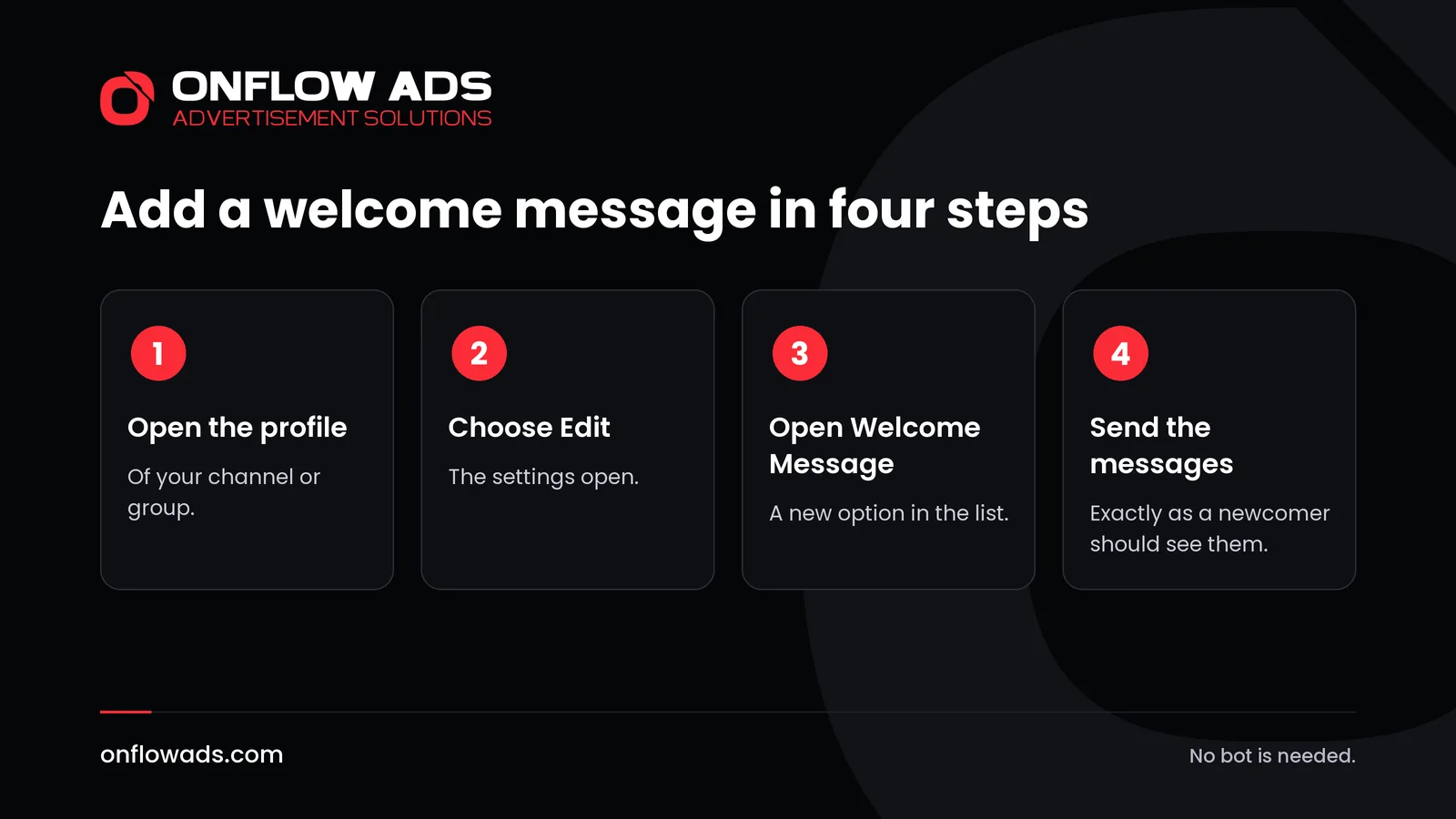
Open the profile of your channel or group
Tap its name at the top of the chat.
Choose Edit
This opens the settings.
Open Welcome Message
Telegram's path is Edit, then Welcome Message.
Send the messages a newcomer should see
You write them as ordinary messages. Add a picture or a second message if it helps, and use links to point at your best posts.
Then test it. Ask a friend to join, or join with a second account, and read the welcome as a stranger would. Check every link.
What to write in a welcome message
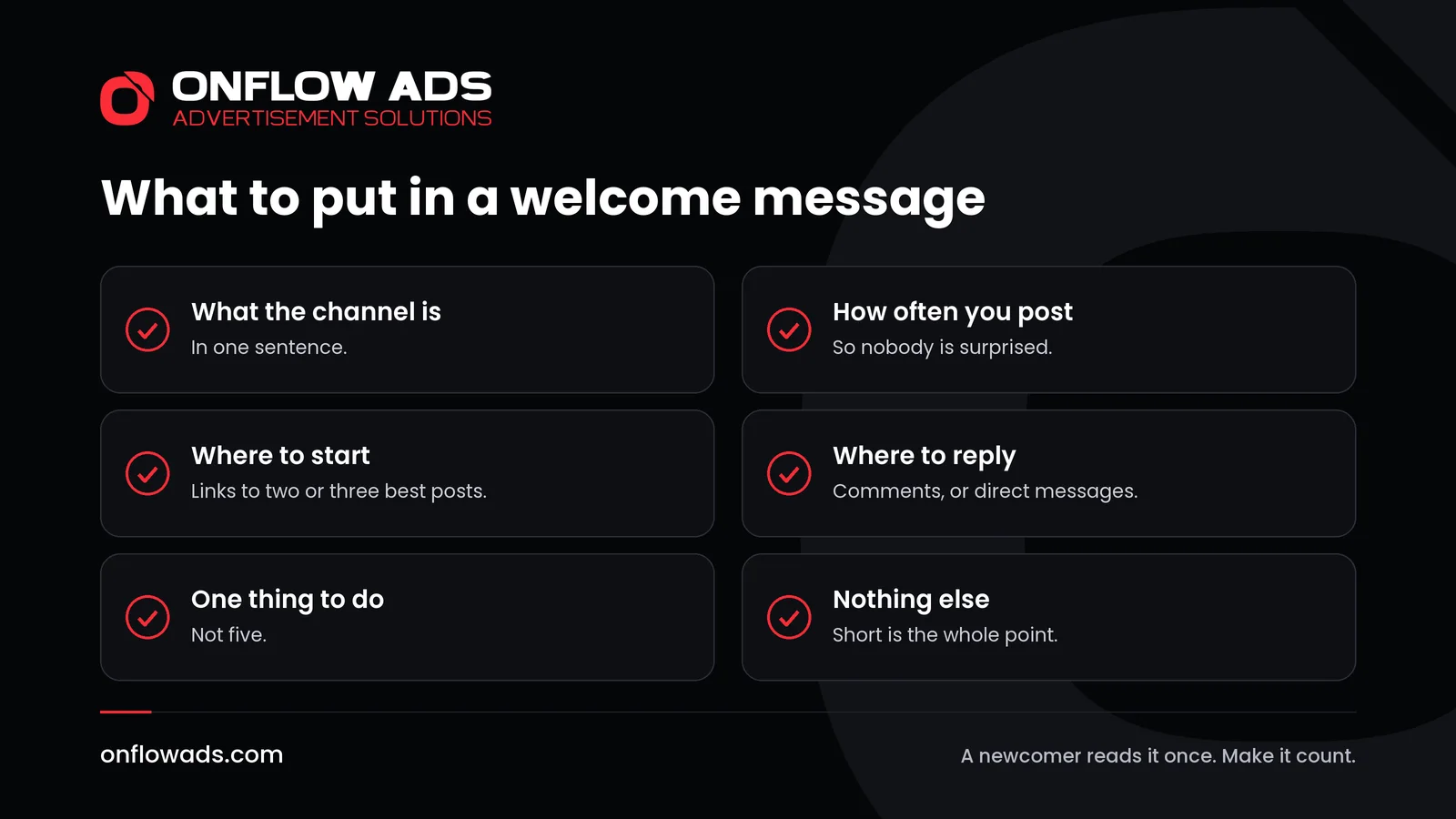
A newcomer gives you one reading. Use it to answer the questions they actually have.
- What is this? One sentence on what the channel covers and who it is for.
- How often will I hear from you? Say it plainly: once a day, three times a week.
- Where should I start? Link two or three of your best posts. Every post in a public channel has its own link, and a new subscriber can read the whole history.
- How do I answer? Point to the comments, or to the channel's direct messages, if you have switched either on.
- What should I do now? One thing. Read the first post, or turn notifications on, or tell a friend. Not all three.
An example you can adapt
This one is invented, for an imaginary channel about home cooking. It is three short messages.
- Welcome. This channel sends one recipe every evening, made from ordinary ingredients, with photos of each step.
- New here? Start with these: the one-pan pasta, the bread that needs no kneading, and the list of ten things worth keeping in the cupboard. Each title is a link.
- Questions and photos of your own cooking are welcome in the comments under any post.
Notice what is missing: no long introduction, no list of rules, no request to share the channel with five friends. A welcome that asks for too much is closed before it is read.
How the welcome changes with the kind of channel
| Kind of channel | Lead with | Link to |
|---|---|---|
| News and commentary | What you cover and how often | Your most useful recent pieces |
| A shop or a service | What you sell and how to order | The catalogue, and how to reach you |
| Lessons and guides | The level you teach at | The first lesson, so nobody starts in the middle |
| A paid or private channel | What members get that others do not | The newest member-only post |
Whatever the kind, write it for someone who knows nothing yet. You have read your own channel every day since it began. The newcomer has read one post.
Welcome message, pinned post or description?
| Who sees it | When | Best used for | |
|---|---|---|---|
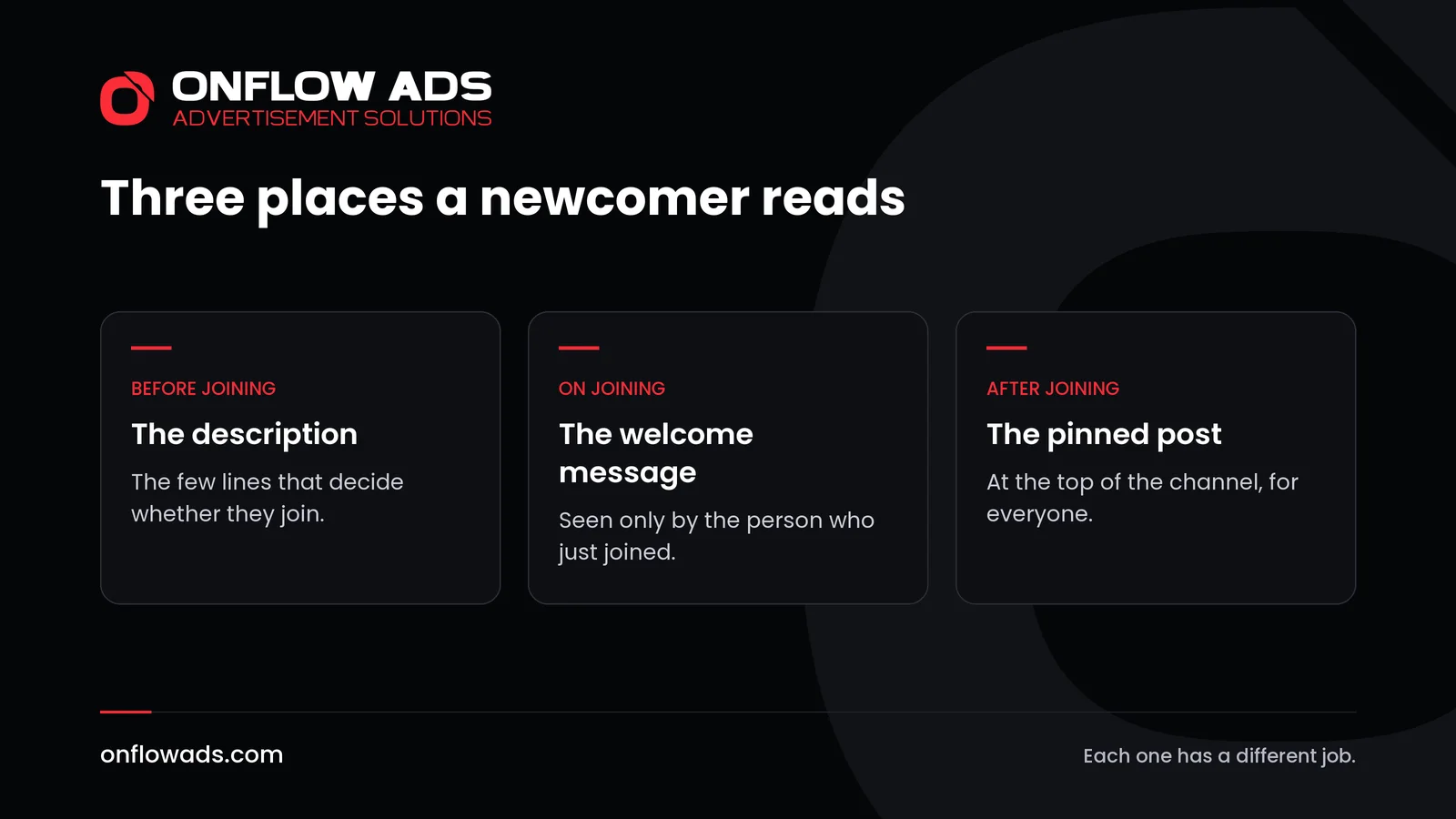
| The description | Anyone who opens the channel's profile | Before joining | What the channel is, in a line or two |
| The welcome message | Only the person who just joined | At the moment of joining | Where to start and what to expect |
| The pinned post | Every subscriber | Whenever they open the channel | What matters now: news, an offer, a guide |
They work together. The description gets the join. The welcome message turns the join into a first reading. The pinned post, which Telegram shows in a banner at the top of the channel, speaks to everyone and can change as often as you like.
Now that the welcome exists, the pinned post no longer has to do double duty. It can stop being a permanent introduction and carry whatever is current.
Why it matters most after a promotion
People who find a channel on their own arrive a few at a time, and they know why they came. People who arrive from a promotion come together, and what they know about you may be a single post: the ad, or the recommendation another channel published.
That is when a welcome message earns its place. What a newcomer finds first helps decide whether they stay, and the welcome is the one thing you can be sure they will see.
- Before a swap with another channel, read your welcome message again. In a cross-promotion two channels carry each other's post, and your new readers come from the partner's audience.
- Before a paid ad, make sure the posts you link to match what the ad promised. How to write a Telegram ad post covers the ad itself.
- Afterwards, look at who stayed. Telegram shows who joined through each invite link, and channel statistics show how many users join and leave. How to track Telegram ad results explains how to read them.
On Onflow Ads, joins that come through a campaign are counted for you. Leaves are not: nobody can know who leaves a channel. So look at your channel's own statistics a week later, and if the count has fallen back, the welcome and the first posts are the place to look.
If you sell ads in your channel
The welcome message is for readers. Keep advertisers' posts out of it. An ad that greets every newcomer makes a poor first impression of the channel that carries it.
What you can add is one quiet line for businesses: that the channel accepts advertising, with a link to your prices. On Onflow Ads that link can be your public channel page, which shows your numbers, your rate card, your rules and your reviews. How to sell ads on your Telegram channel explains how to set it up.
Mistakes to avoid
- Writing an essay. If it does not fit on one screen, cut it.
- Asking for several things at once.
- Linking to posts that have since been deleted. Check the links whenever you tidy the channel.
- Repeating the description word for word.
- Leaving it unchanged for a year while the channel moves on.
- Forgetting to read it as a stranger would.
What to do next
- Write three short messages: what the channel is, where to start, and where to reply.
- Add them under Edit, then Welcome Message.
- Join with a second account and read them as a stranger would.
- Move anything permanent out of the pinned post, and use the pin for what is current.
- Read the welcome again before your next promotion.
For developers: buttons inside messages
The same update lets developers put several buttons right inside a message, and Telegram notes that such messages can be used as welcome messages. That needs some coding. For most channels a few plain messages with links do the job.
Growing a channel is one stage of the whole job. Our complete guide to Telegram marketing covers every stage, from the first post to the numbers that show what worked.
Frequently asked questions
What is a Telegram welcome message?
A message, or several, that a channel or group shows to each new member. Telegram says that when a user joins, only they can see it.
How do I add a welcome message to my channel?
Open the channel's profile, choose Edit, then Welcome Message, and send the messages you want new members to see.
Do I need a bot for a welcome message?
No. Telegram's announcement says no bots are required.
Can a welcome message include pictures or links?
Yes. Telegram says multiple messages and media can be added, and that formatting works there.
Do existing subscribers see the welcome message?
No. Only the person who has just joined sees it.
Do groups have welcome messages too?
Yes. Telegram says both groups and channels support them.



Comments
Nobody has commented yet.